Tuesday, May 17, 2011
NRK1 Direkte
<object id="nrkVideoD7A201C27646C900" width="768" height="452" classid="clsid:D27CDB6E-AE6D-11cf-96B8-444553540000"><param name="movie" value="http://www.nrk.no/playout/v1.1/flashplayer.ashx?v=D7A201C27646C900&w=768&rand=129500962799585626" /><param name="allowFullScreen" value="true" /><param name="allowscriptaccess" value="always" /><embed src="http://www.nrk.no/playout/v1.1/flashplayer.ashx?v=D7A201C27646C900&w=768&rand=129500962799585626" type="application/x-shockwave-flash" allowscriptaccess="always" allowfullscreen="true" name="nrkVideoD7A201C27646C900" width="768" height="452" /></object>

Saturday, May 14, 2011
Eurovision Song Contest 2011
Who do you think will win this year?
See the predictions here! Eurovision Song Contest 2011 Predictions
Cine va castiga Eurovision Song Contest ESC anul acesta?
Hotel FM, Lena, Blue....?
See the predictions here! Eurovision Song Contest 2011 Predictions
Cine va castiga Eurovision Song Contest ESC anul acesta?
Hotel FM, Lena, Blue....?
Thursday, March 17, 2011
Zona Rogaland din Norvegia
Cele mai mari atractii ale Norvegiei ...
 Regiunea Stavanger, din sud vestul Norvegiei ofera numeroase atractii pitoresti: fiordul Lysefjord, plaja Solastranda sau muntii Preikestolen si Kjerag sunt doar cateva dintre acestea.
 Fiorduri superbe
Fiordurile norvegiene au fost cotate printre destinatiile turistice cele mai frumoase din lume. Intr-un sondaj al celor mai populare obiective din Patrimoniului Mondial realizat de National Geographic Traveler Magazine si Centrul National Geographic pentru Dezvoltare Durabila, fiordurile din vestul Norvegiei au iesit castigatoare.
 Regiunea Stavanger are cateva fiorduri superbe. Unul dintre cele mai renumite fiorduri din regiune este Lysefjord. Fiordul are 42 de kilometri lungime, cu ziduri stancoase care coboara aproape vertical, 1.000 de metri, in mare. Fiordul nu este numai lung si ingust dar in unele locuri adancimea sa este egala cu inaltimea coastelor sale.
Poti privi acest fiord magnific intr-o croaziera, pornind din Stavanger. Acesta este fara indoiala unul dintre punctele culminante ale atractiilor naturale norvegiene.
Munti maiestuosi
Lysefjord este gazda altor doua alte atractii majore: masivele Preikestolen si Kjerag.
 Preikestolen este situat la 600 de metri deasupra nivelului marii, poate fi vazut din Lysefjord, dar panorama este si mai impresionanta de sus. Dupa o escaladare spectaculoasa de doua ore vei avea o vedere magnifica asupra fiordului.
 Kjerag este o alta atractie majora din zona. Cel mai inalt varf se afla la 1110 de metri deasupra nivelului marii, dar versantul nordic al Lysefjord atrage majoritatea vizitatorilor. Peretele muntelui are 984 de metri si se afla langa celebra Kjeragbolten, o stanca ce leaga altele doua intr-un mod spectaculos. Este nevoie de o drumetie de doua ore si jumatate pana la Kjerag. Fii pregatit insa pentru o excursie obositoare, care merita insa efortul.
Cascada Månafossen
Daca iti plac drumetiile vei fi incantat sa ajungi la cascada Månafossen; aceasta are o cadere libera de 92 de metri, fiind cea mai inalta cascada din Norvegia. Cascada este protejata si este una dintre cele mai mari atractii din regiunea Rogaland.
 Plaje incantatoare
Regiunea Stavanger nu ofera doar fiorduri frumoase si munti maiestuosi, dar si plaje uimitoare. Aici te poti plimba pe cele mai lungi plaje de nisip din Norvegia. Sunday Times a clasat Solastranden ca cea mai deosebita a sasea plaja din lume.
 Jurnalistul David a fost atat de entuziasmat incat a evaluat plaja inaintea celor din Spania si Thailanda. Petrece putin timp aici pentru a face orice iti place - plaja, inot, surfing sau kiting. Farurile de-a lungul dar si din largul coastei sunt deschise pentru turisti, iar unele dintre ele ofera cazare si hrana.
Sursa: www.visitnorway.com/
Saturday, February 19, 2011
Nokia N97
Display |    640×360 px (16:9 aspect ratio), 3.5 in for original (3.2 in for mini), sliding tilt TFT LCD display, up to 16.7 million colours |
|---|---|
| Camera | 5.0 megapixels f/2.8 Carl Zeiss Tessar lens |
| Operating system | Symbian OS 9.4 with Nokia S60Fifth Edition UI. Current firmware22.0.110 (RM-505) / 22.1.112 (RM-506) / 22.2.110 (RM-507) |
| Input | QWERTY keyboard, resistive touchscreen, proximity andambient light sensors,accelerometer, digital compass |
| CPU | Single CPU, 434 MHz ARM11 |
| Memory | 128 MB SDRAM |
| Memory card | microSD 16 GB max (16 GB Max MicroSDHC available in 2009) |
| Storage | 32 GB on-board (about 29.8 GB user available) for original, (8 GB for mini) |
| Networks | HSDPA (3.5G), Quad band GSM /GPRS / EDGE GSM 850, GSM 900,GSM 1800, GSM 1900 |
| Connectivity | WLAN 802.11b/g, USB 2.0,Bluetooth 2.0, TV-out (PAL/NTSC),FM transmitter only for original |
| Battery | BP-4L (1500 mAh, Li-polymer) for original, (BL-4D 3.7 V 1200 mAh for mini) |
| Physical size | 117.2 × 55.3 × 15.9* mm *18.25 mm at camera area for original (113 x 52.5 x 14.2 mm for mini) |
| Weight | 150 g |
Wednesday, February 16, 2011
Monday, February 14, 2011
Romantic Ideas for Valentine's Day

| Create a LoveSpace A splendid idea on Valentine's Day is to open your heart to your sweet one and let know your feelings for her. An easy way to do this would be to create a "lovespace". If you are not already registered to myspace, you can sign up for a free account and within minutes you'll have a page dedicated to your sweetie. Keep it focused on romance with weekly love notes, romantic poems, and photos. You can even add a romantic love song that she loves very much in your 'lovespace'. That way she will get to listen to her favorite song whenever she visits the page! If you both are private persons and don't like to let the world know about your relationship, you can sure make the page private. That way you'll also feel free to open your heart and write about your inner feelings without a care. |
| Send an e-Card You may have doubts whether sending an e-card will not be an impersonal way of communicating with your special  someone. But trust us, this is a great way to add a little romance to your sweet one's day. Browse the various free e-card sites, such as DeepestFeelings.com, for a gamut of romantic e-cards ranging from the funny 'n flippant to the poetic and passionate. It is even better if you can send a personalized message with your card and sites like DeepestFeelings lets you do that. Put in a bit of thought to your message and rather than ending it casually, think deep and write from the heart. It will work wonders with your lover. Imagine your sweet one's delight on finding a cute, romantic e-greeting with a romantic message in his/her inbox on Valentine's Day. Doesn't that seem great? someone. But trust us, this is a great way to add a little romance to your sweet one's day. Browse the various free e-card sites, such as DeepestFeelings.com, for a gamut of romantic e-cards ranging from the funny 'n flippant to the poetic and passionate. It is even better if you can send a personalized message with your card and sites like DeepestFeelings lets you do that. Put in a bit of thought to your message and rather than ending it casually, think deep and write from the heart. It will work wonders with your lover. Imagine your sweet one's delight on finding a cute, romantic e-greeting with a romantic message in his/her inbox on Valentine's Day. Doesn't that seem great? |
| Make a Video Another splendid idea is to make a short video declaring your love for your honey. If you have a camera phone or a webcam at your disposal, you can easily make a video and upload it online in sites like YouTube for free. You can then send a link via email to him/her to check out your valentine video! If you don't prefer a public declaration of your love, you can keep it personal and have a private viewing of your video with your sweetheart who'll surely love the idea. A nice tip is to use windows movie maker in your video-making. |
Buy roses for your love This one is specially for men. Buy a dozen roses for your sweetie, hide them in different spots of a place like a park or a mall. Invite her and hide in some nearby spot from where you can watch the proceedings. Arrange a person to hand over a rose to her as soon as she arrives. Attach a note to it informing her where to find the next rose. This should be the case with each rose and the last one should lead her to you waiting with a bouquet of flowers. You should take the authorities into confidence for this plan to work out smoothly. Thereupon, treat her to a sumptuous lunch/dinner. |
Candle-lit dinner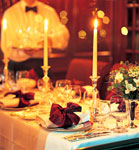 Treat your honey to a romantic dinner by candle-light. That doesn't mean you don't have to take your sweetheart to a posh restaurant and spend a lotta bucks. Rather, you can arrange your own candle-lit dinner at home. Cook up a splendid dinner together. Even a simple pasta would work; buy dessert from the bakery in the grocery store. Set the table; create a romantic atmosphere with candles, sweet snacks and wine. Have soft romantic music playing in the background, and dim the lights so that it's mostly the candles lighting the room. Then dress up and "attend" the dinner walking up to the table hand in hand with your love. You'll be amazed how much more fun it gives to have a candle-lit dinner at home. Once dinner is over, dance slowly to your song. Then snuggle as you watch a romantic flick together. |
Prepare a dessert This one is specially for the ladies. Invite your honey and treat him to a dessert dish. Find out about the favorite dessert of your partner and prepare it yourself on Valentine's Day. Even if it doesn't turn perfect and your cooking skills don't prove amazing, he'll pleasantly surprised and love you for your serious attempt. |
| Balloons in the car Sneak into your sweet one's car while he/she is busy at work and fill it with roses and balloons upto the roof. Also leave a note inside telling how much your sweetheart means to you. It will amaze and touch your love to no less measure. |
| Walk on the beach Take a ride to a secluded beach at sunset and park your car nearby. Slip your hand into your partner's and take a stroll along the beach bare foot, watching the sunset together. It will be better to stay awhile after the sunset and enjoy the sight and sound of the waves crashing into the shore, as the water covers your feet. Look up at the starry sky and feel the magic of the universe. |
| Have a beach-dinner If you can arrange it, treat your love to a candlelit dinner under the stars, preferably to the accompaniment of some music playing off somewhere in the background. You can arrange it all near a lake or pond to make the ambience even more romantic. To top it all, you can rent a small boat and row it after dinner to go out to the middle of a lake and watch the stars. |
| Love-letter Believe it or not, writing love letters is still as cool. Yes, the world may have changed and e-mails and text messages  may be the order of the day, but a passionate letter of love still posseses that eternal charm and out-of-the-world romanticism which many would die for. So put your pen to paper and pour your feelings out for the love of your life. Say in simple words what your sweetheart means to you, and how your life has changed since his/her arrival. Then hide it in some spot where your sweet one is likely to lay his/her hand soon. Don't worry if you're not too good with words, your sweetheart will surely appreciate your gesture. Your effort will culminate into a moment which both of you'll treasure forever, trust me. may be the order of the day, but a passionate letter of love still posseses that eternal charm and out-of-the-world romanticism which many would die for. So put your pen to paper and pour your feelings out for the love of your life. Say in simple words what your sweetheart means to you, and how your life has changed since his/her arrival. Then hide it in some spot where your sweet one is likely to lay his/her hand soon. Don't worry if you're not too good with words, your sweetheart will surely appreciate your gesture. Your effort will culminate into a moment which both of you'll treasure forever, trust me.:D |
Sunday, February 13, 2011
Dell Inspiron 15R
Dell Inspiron 15 Full Review
The Inspiron 15 is the back-to-basics mainstream 15" notebook from Dell, offering good performance at a value price. Consumers can configure this notebook with basic lid configurations, or go all out with the customized lids from the Dell Design Studio for an additional cost. If you are just looking for a basic system to meet your needs at school or home, read our full review of the Dell Inspiron 15.
- 15.6" 1366x768 16:9 Glossy Display
- 6-Cell 48WHr Battery
- Limited 1-year standard parts and labor warranty with in-home service
- Dimensions: 14.7 x 9.6" x 1.02"
- Weight: 5.8lbs
- Price as configured: $549

Build and Design
The design of the of the Inspiron 15 is pretty good for a value notebook, offering a smooth rounded profile and clean lines. While our model doesn't offer one of the most expensive custom lid designs, it gives you an idea of what you would get if you chose the current "FastTrack" shipping option on this model. The only design element of the notebook that doesn't blend well with the stock matte lid finish is the fully glossy interior. The screen, screen bezel, keyboard trim, and palmrest are all glossy black inside the notebook, which doesn't always play well with reflections or smudges. If you keep it clean it looks great, but at times it did get annoying if you were sitting with your back to bright windows where the entire notebook turned into a mirror. Overall, if you don't mind the glossy surface the design of the Inspiron 15 is pretty nice compared to other budget models on the market.
The design of the of the Inspiron 15 is pretty good for a value notebook, offering a smooth rounded profile and clean lines. While our model doesn't offer one of the most expensive custom lid designs, it gives you an idea of what you would get if you chose the current "FastTrack" shipping option on this model. The only design element of the notebook that doesn't blend well with the stock matte lid finish is the fully glossy interior. The screen, screen bezel, keyboard trim, and palmrest are all glossy black inside the notebook, which doesn't always play well with reflections or smudges. If you keep it clean it looks great, but at times it did get annoying if you were sitting with your back to bright windows where the entire notebook turned into a mirror. Overall, if you don't mind the glossy surface the design of the Inspiron 15 is pretty nice compared to other budget models on the market.

The Dell Inspiron 15 has average build quality compared to other value-oriented models we have reviewed. The plastics used held up well in our tests, but did show signs of flexing and creaking in spots. The screen lid and palmrest were the two main areas which exhibited flex, with the palmrest giving off creaking sounds if you squeezed it in the right spot. The screen lid on the Inspiron 15 uses a latch-less hinge design which keeps it held down using friction and gravity. You need two hands to open it up with it placed horizontally on your desk, but if you were carrying it around under your arm it did have a tendency to open up about a centimeter or so. In most latch-less designs we like to see a secondary holding method, such as a magnet or spring loaded hinge to keep it shut when held in any direction. The plastics used in the construction of the chassis feel pretty durable and should hold up well over time, but the glossy finish around the keyboard and palmrest did have a tendency to show fine scratches.

Dell gives you easy access to all internal components of the notebook. This includes the system memory, hard drive, and wireless card, as well as the processor if you are so inclined. Underneath the main access panel (which includes handy circlips around each screw so they don't go flying) is the RAM, wireless card, and processor with heatsink. The hard drive and optical drive are removable through individual sections with their own retaining screws. Oddly enough Dell doesn't have any "warranty void if removed" stickers anywhere, including the screws around the processor.

Screen and Speakers
The glossy 1366x768 display on the Inspiron 15 is average compared to other panels we have seen. Colors and contrast are excellent thanks to the glossy surface, which tends to scatter less light than the equivalent matte surface. Backlight levels could be better on the high-end of the spectrum, but we found it adequate for most conditions, including a bright off setting, underneath shop lighting, and or just sitting on your couch enjoying a show. Viewing angles could have been better, with color distortion found in both the vertical and horizontal extremes. Colors started to shift when titling the screen 20 degrees forward or back. Horizontal viewing angles were better, only showing color shifting past 45 degrees.
The glossy 1366x768 display on the Inspiron 15 is average compared to other panels we have seen. Colors and contrast are excellent thanks to the glossy surface, which tends to scatter less light than the equivalent matte surface. Backlight levels could be better on the high-end of the spectrum, but we found it adequate for most conditions, including a bright off setting, underneath shop lighting, and or just sitting on your couch enjoying a show. Viewing angles could have been better, with color distortion found in both the vertical and horizontal extremes. Colors started to shift when titling the screen 20 degrees forward or back. Horizontal viewing angles were better, only showing color shifting past 45 degrees.
 |  |
 |  |
The included speakers were good compared to other budget models, with clear high-range audio, but little low or midrange coming through. Peak volume levels were enough to fill a small room, but if you plan on sharing a movie inside a dorm room, it might be wise to connect the laptop to a set of external surround speakers. For enjoying music or movies by yourself, headphones are still a must-have accessory.
Keyboard and Touchpad
The Inspiron 15 keyboard is very comfortable to type on, offering excellent support and a very good layout. The keys are of normal size with a light matte finish for excellent traction. Spacing is spot on compared to my ThinkPad keyboard, so no adjusting was necessary. Support underneath the keyboard is excellent, with no flex anywhere, even under very strong pressure. Individual key action is smooth with a very quiet "click" emitted when a key is fully pressed. It might not be the quietest keyboard I have used, but it still ranks up there. The function key layout is interesting compared to other notebook models, with use of the function keys backwards. Normally to adjust the brightness or volume, or toggle the WiFi settings you press the FN-key, then the appropriate function key. Dell went with a setup where the secondary command is now primary. To put it another way, if you want to hit F5 to refresh a webpage, you now need to press FN+ the brightness up key. For normal uses this might be more intuitive, but for advanced users who love using commands like window close, page refresh, full screen, and other function key commands, it is more confusing and complex.
The Inspiron 15 keyboard is very comfortable to type on, offering excellent support and a very good layout. The keys are of normal size with a light matte finish for excellent traction. Spacing is spot on compared to my ThinkPad keyboard, so no adjusting was necessary. Support underneath the keyboard is excellent, with no flex anywhere, even under very strong pressure. Individual key action is smooth with a very quiet "click" emitted when a key is fully pressed. It might not be the quietest keyboard I have used, but it still ranks up there. The function key layout is interesting compared to other notebook models, with use of the function keys backwards. Normally to adjust the brightness or volume, or toggle the WiFi settings you press the FN-key, then the appropriate function key. Dell went with a setup where the secondary command is now primary. To put it another way, if you want to hit F5 to refresh a webpage, you now need to press FN+ the brightness up key. For normal uses this might be more intuitive, but for advanced users who love using commands like window close, page refresh, full screen, and other function key commands, it is more confusing and complex.

The touchpad is a large Dell-specific model, with a nicely textured matte finish that gives excellent traction. Speed and accuracy were pretty good, with barely any lag noticed in our tests. We did encounter one situation where a quick tap and select movement wouldn't release the selection box, but that situation didn't come up frequently. The touchpad might not have been as nice to use as a Synaptics model, but for the notebook's intended market it should be fine. The touchpad buttons were a big surprise to see on a budget model. They provide excellent feedback and have a deep throw, instead of standard "clicky" touchpad buttons.

Ports and Features
Port selection on the Dell Inspiron 15 is lacking compared to notebooks of the same size, including only three USB ports, VGA, LAN, and an ExpressCard/34 slot. HDMI would have been greatly appreciated, since it would allow a user to hook the notebook up to a home theater to play movies, whereas now you would need to have a TV that supports VGA in, and still be limited to analog audio out. For quickly copying images off a memory card, there is a spring loaded SDHC-compatible memory slot on the front of the notebook. eSATA would have been another nice touch, but it is hard enough to find it on some high-end notebooks.
Port selection on the Dell Inspiron 15 is lacking compared to notebooks of the same size, including only three USB ports, VGA, LAN, and an ExpressCard/34 slot. HDMI would have been greatly appreciated, since it would allow a user to hook the notebook up to a home theater to play movies, whereas now you would need to have a TV that supports VGA in, and still be limited to analog audio out. For quickly copying images off a memory card, there is a spring loaded SDHC-compatible memory slot on the front of the notebook. eSATA would have been another nice touch, but it is hard enough to find it on some high-end notebooks.

Front: Audio jacks, SDHC-card slot

Rear: Battery, CPU exhaust vent


Right: ExpressCard/34, optical drive, 1 USB
by Kevin O'Brien
Subscribe to:
Posts (Atom)